V2MOM Salesforce |
Web Base Enterprise Product
Project Summary
Role: Research Support – UX Designer
Project Overview
Hired by Salesforce to redesign V2MOM, an enterprise-level application on Org62, and define its future vision. Collaborated with a researcher, UX engineer, project manager, and developers to deliver a user-centered, cost-effective solution.
Client & Sales Impact Metrics
- Strategic Decision-Making: Conducted SWOT analysis and effort/impact matrix to guide Salesforce in choosing between a Salesforce redesign or migration to Workday, optimizing resource allocation and reducing future redesign costs.
- Innovation: Designed an inline GPT solution using Salesforce Einstein, enhancing adaptability and user satisfaction.
- Business Value: Delivered a prioritized, cost-efficient solution that aligned business needs with user approval, reducing long-term development overhead.
Methodology
- Discovery: User interviews, usability testing, and data compilation.
- Ideation & Design: Developed two POCs (Salesforce vs. Workday), mapped architecture, and created flowcharts.
- Testing: Usability testing, prioritization (UMUX-Lite, SUS), SWOT analysis, and effort/impact scoring.
- Delivery: Implemented changes, prepared for final testing, and ensured user-driven iterations.
Goals
- Simplify navigation and improve accessibility.
- Empower users with missing features (e.g., log journal, progress bar, GUS integration).
- Increase user involvement in a business-driven project.
- Balance cost-efficiency with user approval.
Key Findings
Users struggled with:
- Unintuitive navigation and hidden information.
- Lack of empowerment, missing features (e.g., automation, comments, dashboards).
- Poor information architecture and rigid layouts.
Solutions
- Research: Continuous user feedback and usability testing.
- Design: Iterative prototyping (e.g., log journal, progress bar, GUS/Quip/Google Docs integration, comments, automation).
- IA/UX: Redesigned information architecture, added alerts, and enabled layout customization.
- Management Tools: Built a dashboard for upper-level monitoring.
Outcome: A user-validated, scalable solution that addressed pain points while aligning with Salesforce’s business objectives.
Project Screenshots and Images
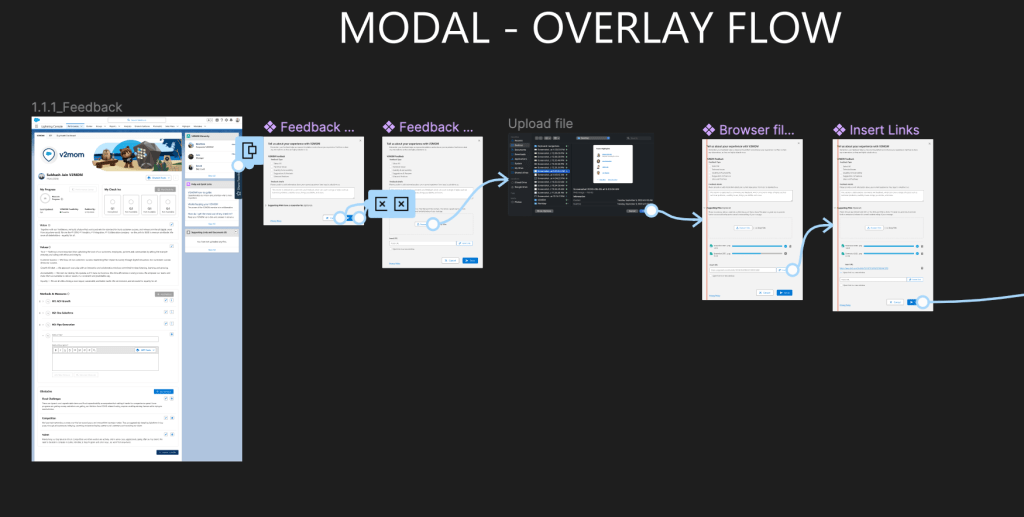
This image showcases the first prototypes I created after conducting interviews with the business side of the project. At this stage, there was minimal interaction with the users, making the process primarily business-driven. This was one of the key issues with the project.
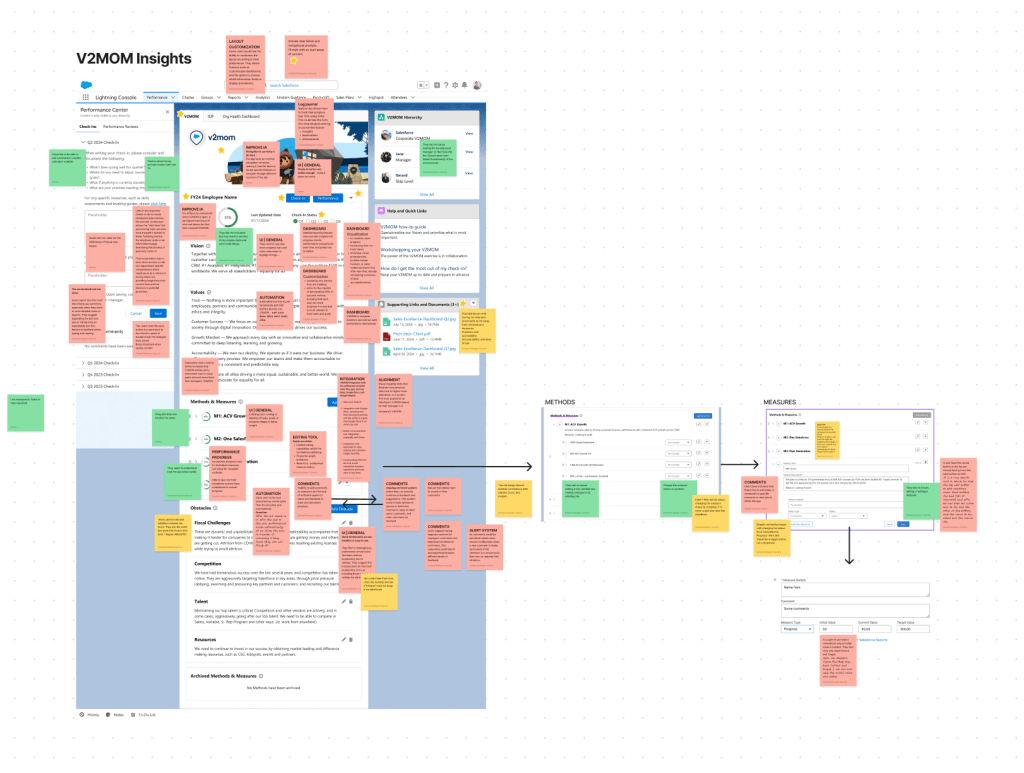
Initial FigJam board showcasing insights from the research, prioritized from most pressing and painful for the user to less pressing, along with proposed solutions to address these key issues. This was a previous exercise before starting building wireframes with a new solution.
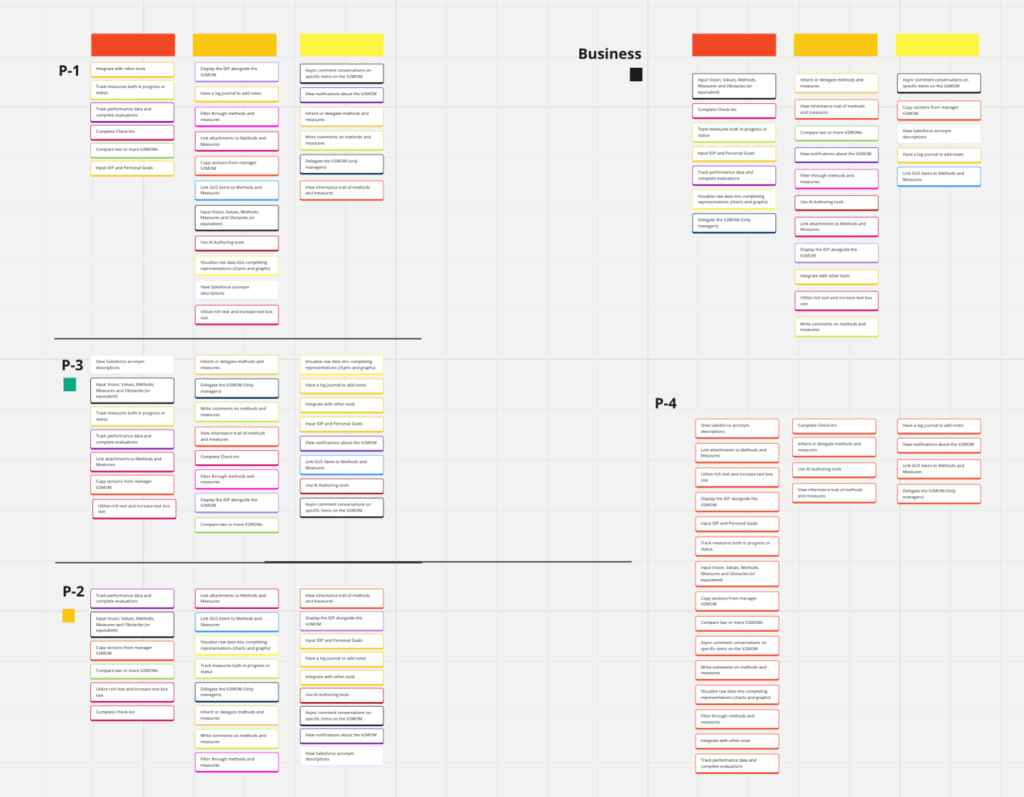
Using Miro, we organized the business priorities and the four user priorities, noting where they overlapped. This helped us prioritize and structure them effectively.
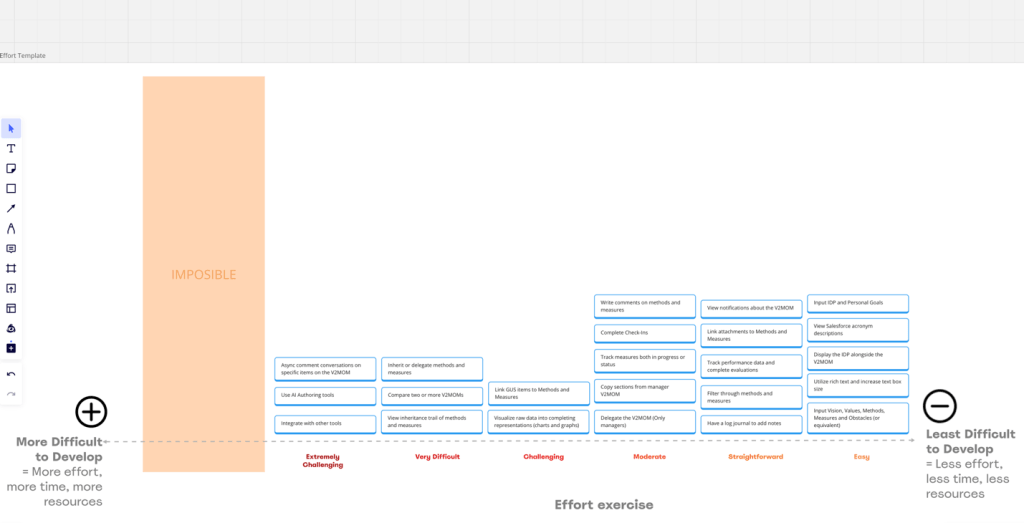
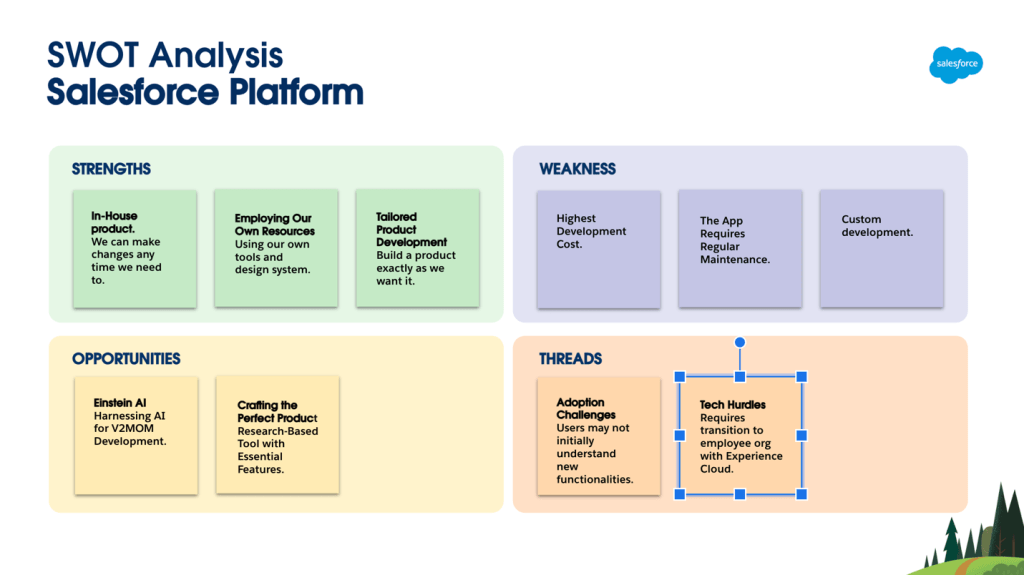
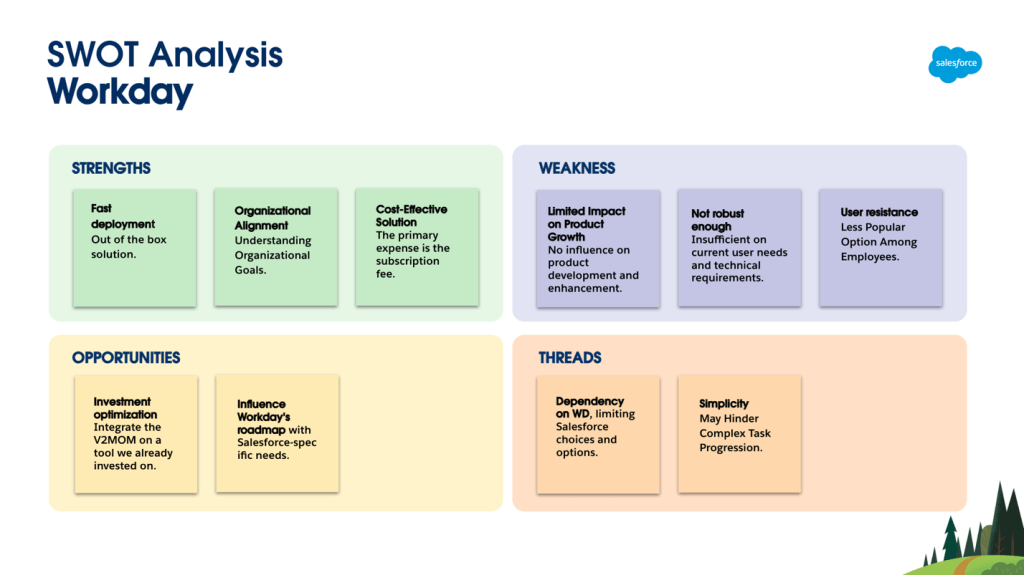
We then compared these priorities with the developmental effort required, ensuring an effective and structured prioritization.
We performed SWOT analysis, it is a strategic planning tool used to identify Strengths, Weaknesses, Opportunities, and Threats of a project or business.
It provides a comprehensive view for strategic planning and risk management by highlighting internal and external factors affecting the project.
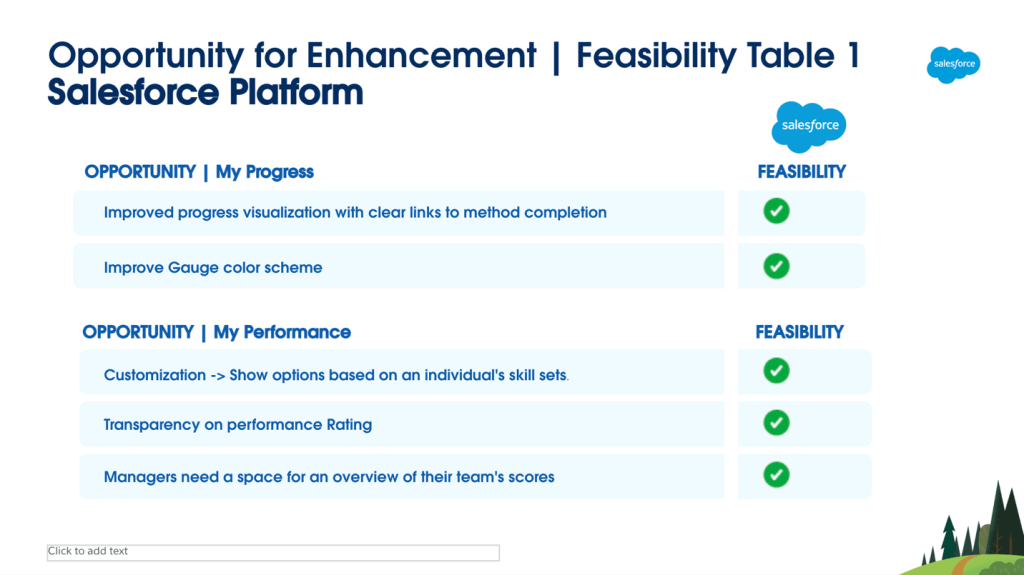
We created a feasibility table based on opportunities aligned with user needs.
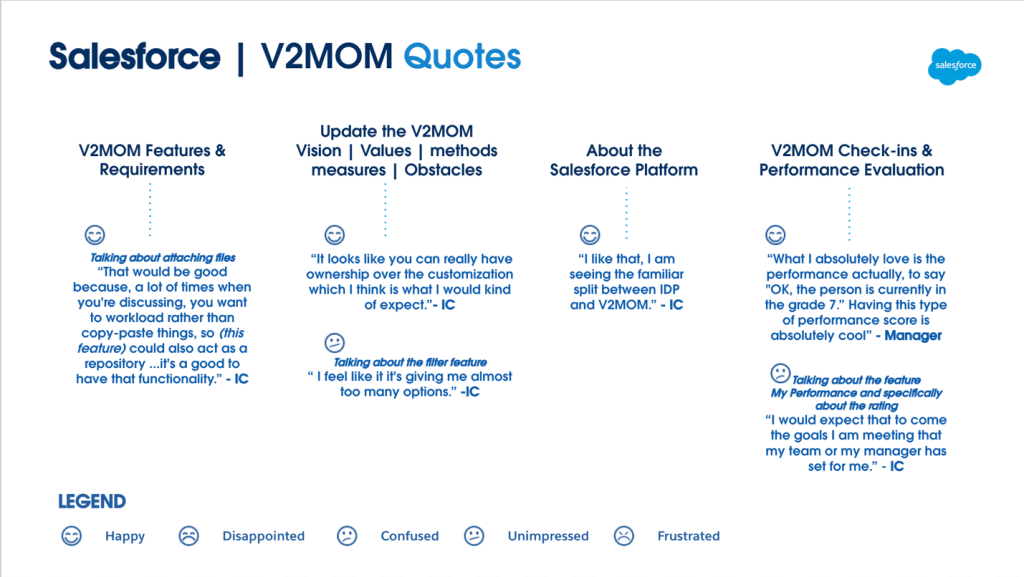
We crafted a mood flow using user quotes based on our research findings.
ROP Optimizer>>

